


Breaking Local News
4.636.00 Reviews
App Specs
- Version
- 14.1.2254.83653
- Updated On
- License
- Free
- Downloads
- 1,000,000+
- Developer
- YING LIANG HK LIMITED
- Categories
- News & Magazines
- Platform
- Android
Screenshots
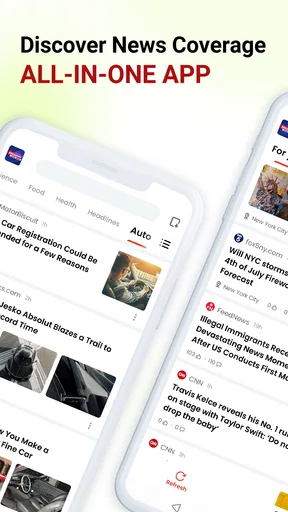
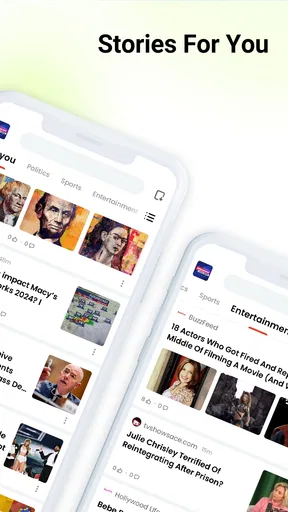
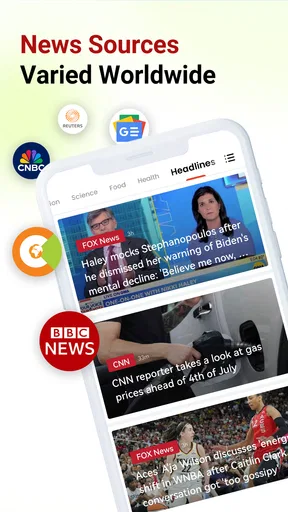
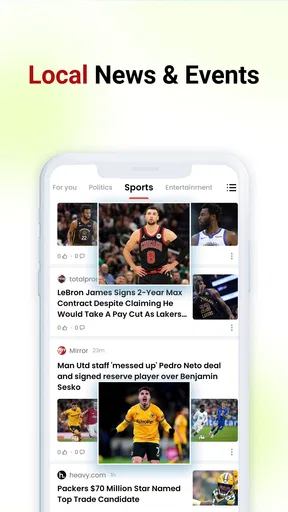
 Analysis by AppCompare
I judge a local news app less by how many headlines it can put on a screen and more by whether it helps me answer a simple question: what should I know about the place I’m in today? Breaking Local News is aimed at that quick, nearby check, bringing together local reporting, urgent updates and weather. It is a free news and magazines app from YING LIANG HK LIMITED, and its focus is useful if your daily decisions depend more on what is happening around town than on a broad national news cycle.
Where the first snags can happen
Location is the natural starting point for a local-news feed, but it is also where a user may pause. If you decline location access, have location services switched off, or are checking news while travelling, the app may not be as well matched to the place you care about. I would check the location setting on the device first, then reopen the app and see whether its local coverage makes sense for where you are. The useful question is not simply whether headlines appear, but whether they relate to the area you intended.
I also wouldn’t treat a quiet feed as proof that the app is broken. Local coverage can vary from one area to another, and a calm news day naturally gives you less to read than a major incident does. Try checking at another time and compare the result with a trusted local outlet before deciding there is a technical problem. That small pause can save you from repeatedly changing settings when there may simply be little new to report.
Notifications are another likely source of friction. Breaking updates are helpful when they concern a road, public safety issue or weather change that affects your plans; repeated alerts about stories you do not need can become noise. If the alerts feel excessive, review the app’s notification controls in your device settings and adjust them to suit your routine. I prefer a smaller number of useful interruptions to a stream of pings that trains me to ignore all of them.
Setup checks that make the feed more useful
Before relying on the app as a morning briefing, I’d take a moment to confirm that the area shown is the one I actually want to follow. Someone who commutes across town may care about both home and destination, while a visitor may want information for the place they are exploring rather than their usual neighbourhood. If the app’s location-based view does not line up with that need, check the device’s location access and consider whether a local publication for the destination would be a better companion.
Keep the operating system in mind as well: the app supports Android 6.0 and later. On a compatible device, a sensible first check when something behaves oddly is to close and reopen the app, confirm that the phone has a working internet connection, and then check whether the app is current. Its listed version is 13.7.2254.81366. These are basic checks rather than a promise that every issue has the same cause, but they help separate a temporary connection or setup problem from a broader coverage gap.
For weather and urgent news, it is worth deciding in advance what you expect the app to do for you. A local news feed can help you notice an update; it should not be your only source for urgent instructions or a time-critical safety decision. If a warning affects you directly, verify the details with the relevant official source. That is a practical habit with any news app, not a knock on this one.
Worth Reading Before You Choose

Flipboard Shows What News Apps Must Do Beyond the Feed

Switching to Android Auto Means Rethinking Your Driving Routine

Google Calendar Makes a Crowded Week Easier to Manage

Ludo King Makes the Most of the Minutes Between Plans

Baby Panda World Brings Quick Play to Modern Phones, but Its Game Library Feels Busy

ESPN’s Live Game View Makes Following Close Games Easier
Recovering a useful routine when something feels off
If the feed seems stale, I’d work through the problem in a calm order: check connectivity, reopen the app, make sure its location access is still appropriate, and look again later. If headlines load but do not match your interests, revisit any available topic choices rather than assuming the whole feed needs resetting. If notifications are the only problem, change notification settings rather than turning off every way the app can help. Separating these issues makes it easier to keep the parts that are working.
There is also a useful distinction between a missing alert and a missing story. A push notification is a prompt to look, not a complete record of everything happening nearby. When a topic matters, open the app and check the feed instead of relying on a banner you may have dismissed. I find that approach especially sensible during unsettled weather: an alert can draw attention to a change, while a fresh check gives me a better chance of seeing the current context.
When you are away from your usual area, do not assume that a familiar feed will remain equally relevant. A location-focused app is most helpful when its view reflects the place you want to understand. On a trip, I would use it as one way to get oriented, then cross-check practical details such as closures or service changes with the organization responsible. That keeps local headlines useful without asking them to do the job of a live operations notice.
When the app may not be the cause
News coverage depends on what is being reported and how quickly local stories develop. If a neighbour mentions an event that has not appeared in the feed yet, the gap may reflect publication timing or the outlets available to the app, not a fault with your phone. For fast-moving events, check more than one credible source and pay attention to when each report was published. I would rather verify a developing story than assume the first headline is the full picture.
The same caution applies to weather. A forecast and conditions outside your window can differ, particularly when weather changes quickly or varies across a small area. Use the app as a convenient local check, but look to an authoritative weather or emergency service when you need precise, current instructions. If you have no connection, a news app cannot reliably refresh its coverage; restoring internet access is the sensible first step before troubleshooting deeper.
Who benefits most from this kind of coverage
This app makes the most sense for people who want a quick sense of their immediate surroundings: residents keeping an eye on community developments, commuters checking what may affect the day, or visitors who want a local perspective beyond general headlines. A realistic use is a quick check over breakfast before choosing a route or deciding whether outdoor plans need adjusting. I would then confirm any important transport or safety detail with the source responsible for it, rather than treating a news headline as an operational guarantee.
It is less suited to someone who wants deep investigative reporting, a carefully curated national and international briefing, or a single authoritative source for every subject. A newspaper app may be better for long-form journalism and a broad editorial package; a specialist weather service is a stronger choice for detailed forecasts and alerts. Breaking Local News is most useful as a convenient local layer, not a replacement for those focused tools.
How it fits beside familiar alternatives
Compared with checking several local news websites one by one, a local-news app can make a quick scan feel more manageable, especially when you only have a minute. The trade-off is that an aggregated feed may not provide the depth, editorial voice or complete coverage of going directly to a publication. If a story matters to you, follow it through to its original reporting where possible. For a broad world-news overview, a major national outlet is likely to serve you better; for neighbourhood context, this app’s local emphasis is the more relevant starting point.
I would use it as a discovery tool rather than as my entire information diet. One practical routine is to scan local headlines once in the morning, save time by ignoring topics that do not affect the day, and check again only when there is a concrete reason—such as severe weather or a developing community story. That prevents the app from turning into a constant distraction while still letting it do what a local feed is meant to do.
First Impressions
When I first downloaded the Breaking Local News app, I was immediately impressed by its sleek and user-friendly interface. Unlike some other news apps that can feel cluttered or overwhelming, this one is refreshingly straightforward. It’s like walking into a well-organized library where everything is easy to find.
Getting Started
Setting up the app was a breeze. All I had to do was allow location access, and the app did the rest. It instantly curated a personalized news feed based on my area. I appreciated that there was no need to jump through hoops or create an account just to get started.
The app offers a variety of categories like politics, sports, weather, and even traffic updates, ensuring that you’re covered on all fronts. I found this variety particularly useful since I like to get a comprehensive view of what's happening around me.
Features I Loved
One of the standout features is the real-time push notifications for breaking news. These alerts are timely and ensure you’re always informed about critical events as they happen. Whether it's a sudden weather change or an important local event, you'll be the first to know.
The app also includes interactive maps that show where events are taking place. This feature came in handy during a recent street festival in my area—I knew exactly where to go and what to expect.
Another nifty feature is the ability to customize your news feed. You can choose which topics interest you the most, ensuring that your feed is filled with content that truly matters to you. And if you’re like me, who sometimes gets overwhelmed with too much information, this feature is a godsend.
Room for Improvement
Now, while the app is fantastic, no app is perfect, right? One thing I noticed is that sometimes the notifications can be a tad too frequent. It's great to be informed, but my phone buzzing every few minutes? Not so much. A bit more control over the frequency of these notifications would be ideal.
Also, while the app does a great job with local news, expanding its reach to include more national and international news could make it more comprehensive. But then again, the app’s primary focus is local news, so I can’t fault it too much for sticking to its niche.
Why You Should Try It
If you’re someone who values staying informed about local events, the Breaking Local News app is definitely worth checking out. It’s intuitive, highly customizable, and keeps you updated without overwhelming you with unnecessary information.
Whether you’re interested in local politics, want to know about community events, or need real-time weather updates, this app has got you covered. Plus, with its clean design and easy navigation, it’s a joy to use.
In today’s fast-paced world, having quick access to reliable news is more important than ever. This app does a stellar job of keeping you informed while you’re on the go. So go ahead, give it a try, and let me know what you think!
A measured recommendation
Its audience is reflected in its broad reach: it has over 500,000 installs and a 4.6 average from around 2,100 ratings. Those figures suggest plenty of people find the local-news format useful, though they do not guarantee that coverage will be equally strong in every town. It is free, rated Everyone 10+, and was released on April 22, 2025. I’d try it if nearby headlines and a weather check are what I need, while keeping a specialist source close for decisions where precision matters.
My practical verdict is that this is a worthwhile companion for local awareness, not a one-stop newsroom. Its strongest case is the quick glance: check what is happening nearby, decide whether it affects your plans, and follow up through an appropriate source when the stakes are higher. If you prefer in-depth national reporting or detailed forecasts, choose those tools first; if you want a convenient local starting point, this app earns a place on your phone.
Pros
- User-friendly interface for easy navigation.
- Customizable news categories for personalization.
- Real-time breaking news alerts.
- Local weather updates included.
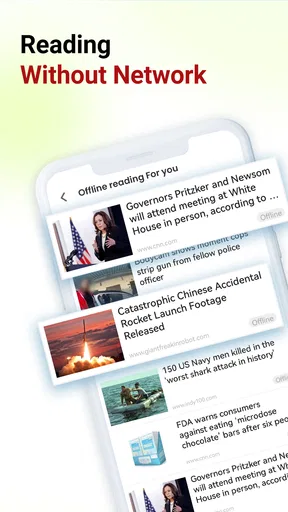
- Offline reading mode available.
Cons
- Limited international news coverage.
- Frequent ads can be distracting.
- Occasional app crashes reported.
- Requires constant internet connection.
- Some articles lack depth.
FAQs for Breaking Local News
What features does Breaking Local News offer?
Breaking Local News provides real-time updates on local events, weather forecasts, crime reports, and community announcements. It also includes customizable alerts, allowing users to focus on specific types of news they are interested in. The app offers an intuitive interface, making it easy to navigate and stay informed.
How frequently is the news content updated?
The app updates news content continuously throughout the day, ensuring that users receive the most current information as it unfolds. With dedicated local news teams, the app provides breaking news alerts to keep users informed about important developments in their area.
Is Breaking Local News free to use?
Breaking Local News is free to download and use, but it may offer in-app purchases or subscription options for premium features, such as ad-free experiences or exclusive content. Users can enjoy a wide range of features without cost, but additional benefits are available for those who opt-in.
Can I customize the news topics I receive alerts for?
Yes, the app allows users to customize their news feed and notifications. You can select specific categories such as sports, politics, or entertainment, and even choose to receive alerts for particular regions. This personalization ensures that you only get the news that matters most to you.
Does the app consume a lot of data or battery life?
Breaking Local News is designed to be efficient in terms of data usage and battery consumption. The app uses advanced algorithms to update content without heavy data usage. However, receiving frequent notifications may slightly impact battery life, which can be managed through the app's settings.


